Connecting & Powering up
Connecting
Pigtail cabled sensors
For sensors terminated with a 6 core pigtailed cable check which wire option you have:
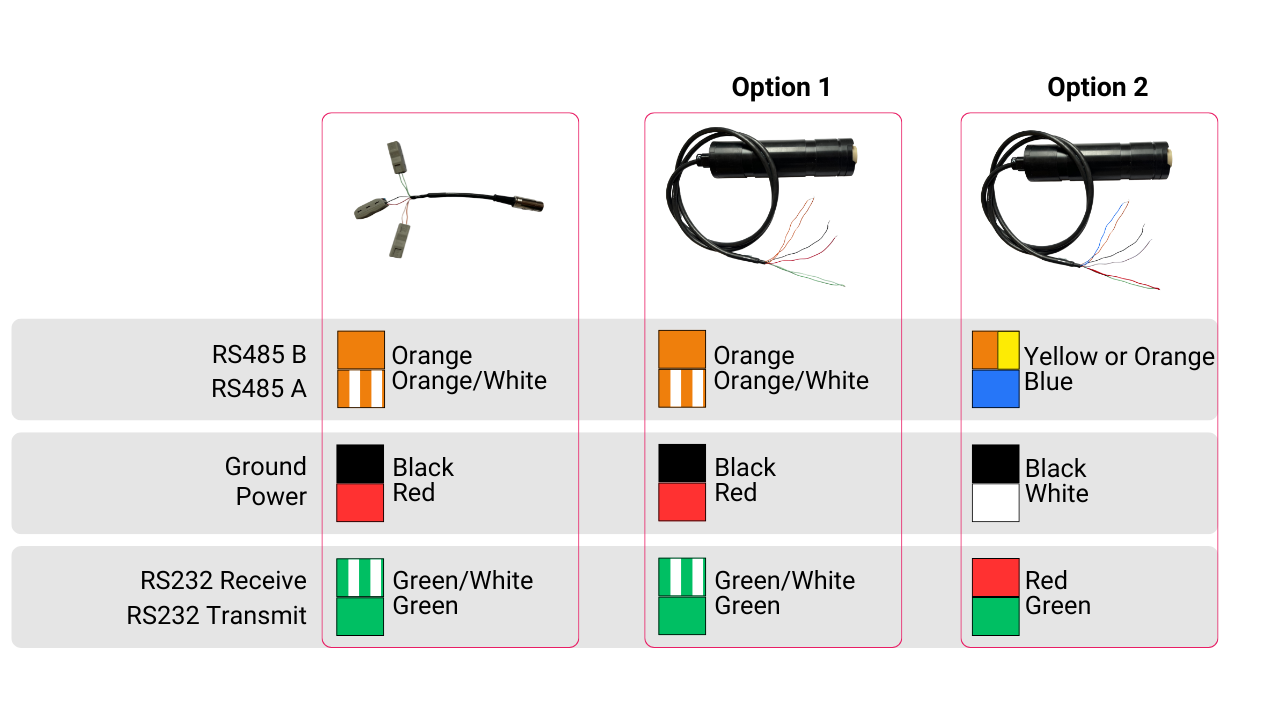
| Connection Options | ||
|---|---|---|
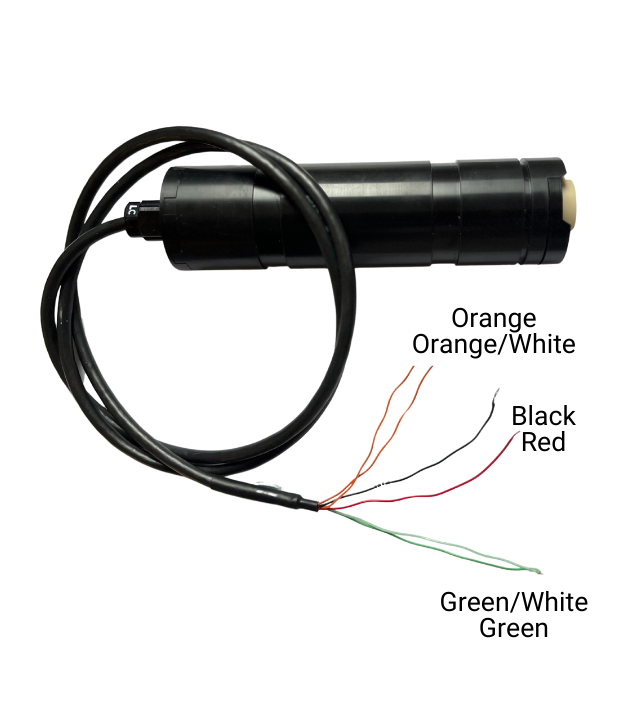 | 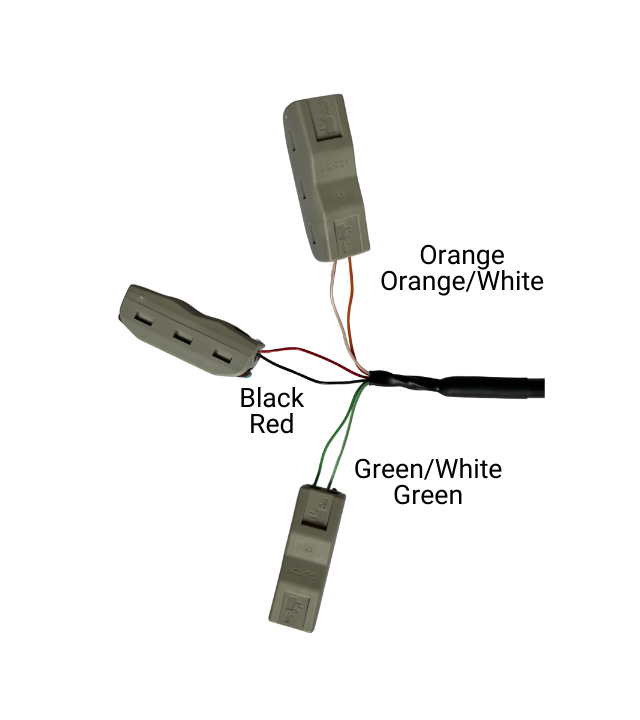 |  |
| Option 1 | ||
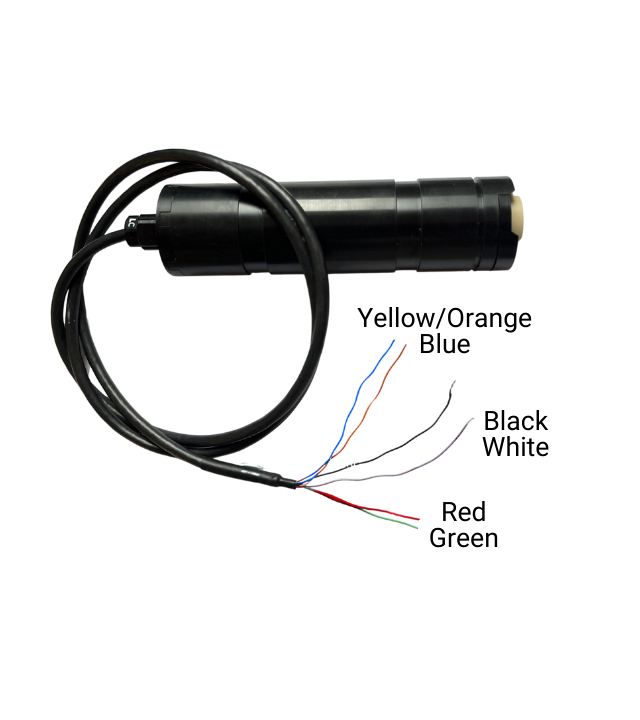 | | 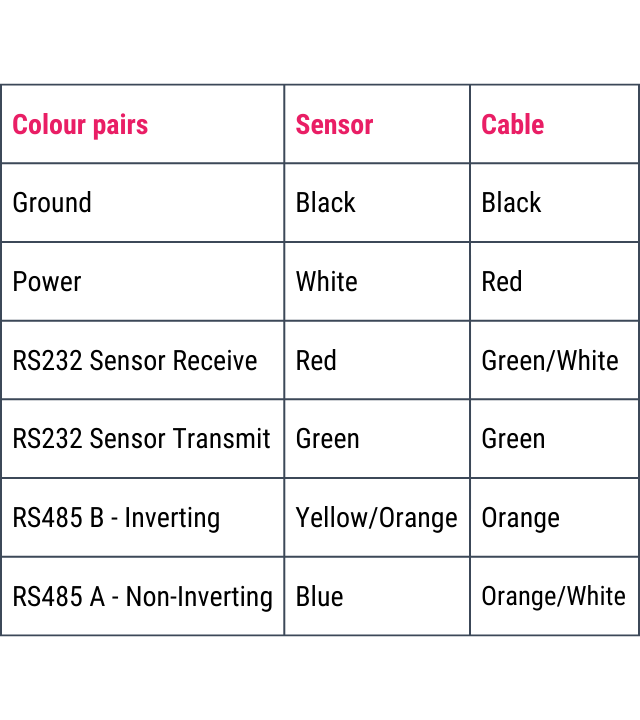 |
| Option 2 |
Please watch this short demo on how to use the connector.
note
Because of the potential for different vendors to use different signal definitions, if you connect our sensors' A/B wiring to your communication device and communication does not work, try reversing the signals
SubConn cabled sensors
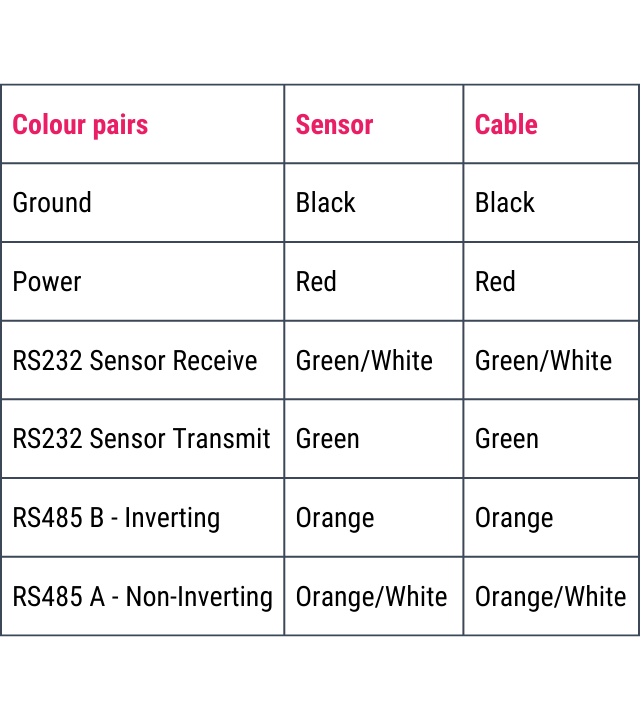
For sensors terminated using a MCBH6M connector, follow the pin-out below:
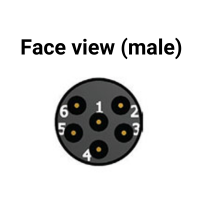
| Pin | Function |
|---|---|
| 1 | Ground |
| 2 | Power |
| 3 | RS232 Sensor Receive |
| 4 | RS232 Sensor Transmit |
| 5 | RS485 B - Inverting (for sensors with a serial number > 3000028) |
| 6 | RS485 A - Non-Inverting (for sensors with a serial number > 3000028) |
note
Because of the potential for different vendors to use different signal definitions, if you connect our sensors' A/B wiring to your communication device and communication does not work, try reversing the signals
Powering
The sensor can be simply powered by battery or via the DTU from a USB port of a computer.
Via battery
- Connect the sensor to power
- Wait for the sensor to beep twice
Via the DTU
- Connect the sensor to the DTU and the USB to the computer
- Press the power on switch on the DTU and the light will come on to show the DTU has power
- Wait for the sensor to beep twice